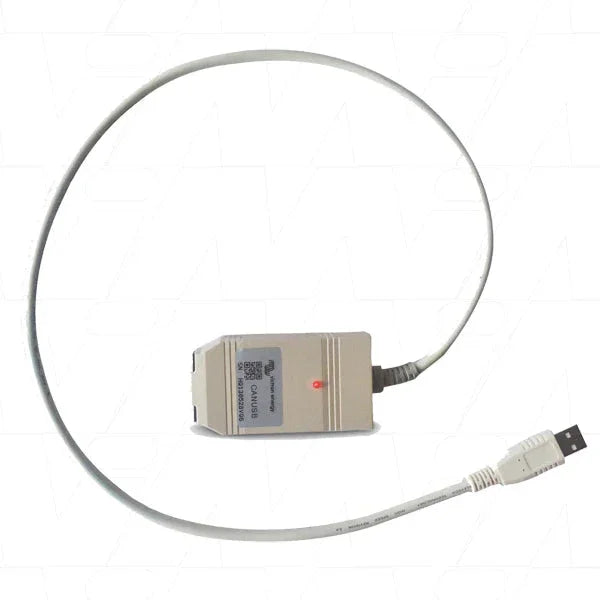
Victron Energy ASS030532010
The Victron CANUSB interface, designated as part number ASS030532010, serves as an essential tool for connecting VE.Can networks to USB-enabled devices. This product is designed to facilitate seamless communication and data transmission between various Victron devices. With this innovative adapter, users can effortlessly monitor and update their systems while enjoying the benefits of a reliable connection. Its straightforward setup process and compatibility with multiple operating systems make it an invaluable asset for enhancing monitoring capabilities.
Product Features
Easy Installation Process
The CANUSB interface allows for a straightforward installation that simplifies connectivity to your system. This ease of use is particularly beneficial for users of all technical backgrounds, as it eliminates complicated setup procedures and ensures a hassle-free experience.
Robust Status Indication
This product features a red status LED that provides real-time feedback on its operational state. By indicating whether data is transmitted or if a connection is established, the LED helps users monitor the device's status conveniently, enhancing usability and troubleshooting efforts.
Dedicated for VE.Can Networks
The Victron CANUSB is specifically designed for VE.Can networks, guaranteeing reliable and efficient operation with compatible devices. This specialization ensures optimal performance and reduces the likelihood of connectivity issues, making it the go-to solution for users within the Victron ecosystem.
Compatible with Multiple Operating Systems
This interface is compatible with various versions of Windows, including 10, 8.1, and 7, both 32 and 64-bit systems. This wide-ranging compatibility ensures that users can integrate the CANUSB seamlessly into their existing setups without needing additional drivers or software adjustments.
Support for Firmware Updates
With the CANUSB adapter, users can easily update the firmware of their Victron devices, enhancing functionality and performance. This feature ensures that the connected devices always operate with the latest improvements and fixes, providing users with an up-to-date experience.
How It Works
The Victron CANUSB interface operates by translating data between the VE.Can network and a USB connection on your computer. By installing the appropriate drivers, users can manage their configurations and monitor their devices effectively.
Driver Installation
The first step in utilizing the CANUSB interface involves installing the required drivers from the Victron Energy website. This installation process allows the operating system to recognize the adapter and enable communication with other Victron devices.
Status LED Functionality
The LED indicator on the CANUSB plays a crucial role in informing users about the operational state of the adapter. Its blinking patterns provide visual cues regarding the connection status and data transmission, significantly aiding diagnostics and usability.
Powering the VE.Can Network
It's essential to note that the CANUSB does not supply power to the VE.Can network. However, it works effectively when connected to a powered device, enabling seamless integration into the larger system for monitoring and data collection.
Specifications
| Product Title |
Victron CANUSB Interface |
| Part Number |
ASS030532010 |
| Compatibility |
Windows 10/8.1/7 (32/64-bit) |
| Status LED Color |
Red |
| Connection Type |
USB to VE.Can |
| Driver Required |
Yes |
| Network Power Requirement |
Requires at least one powered device on the VE.Can network |
| Multi-device Support |
Supports multiple Victron devices |
| Firmware Updates Supported |
Yes |
| Package Contents |
1x CANUSB Adapter, 2x VE.Can RJ45 Terminators, Manual |